Turn on tips
Let clients add a tip when they pay by card. Appty takes no fee on tips.
Step 1: Turn tips on
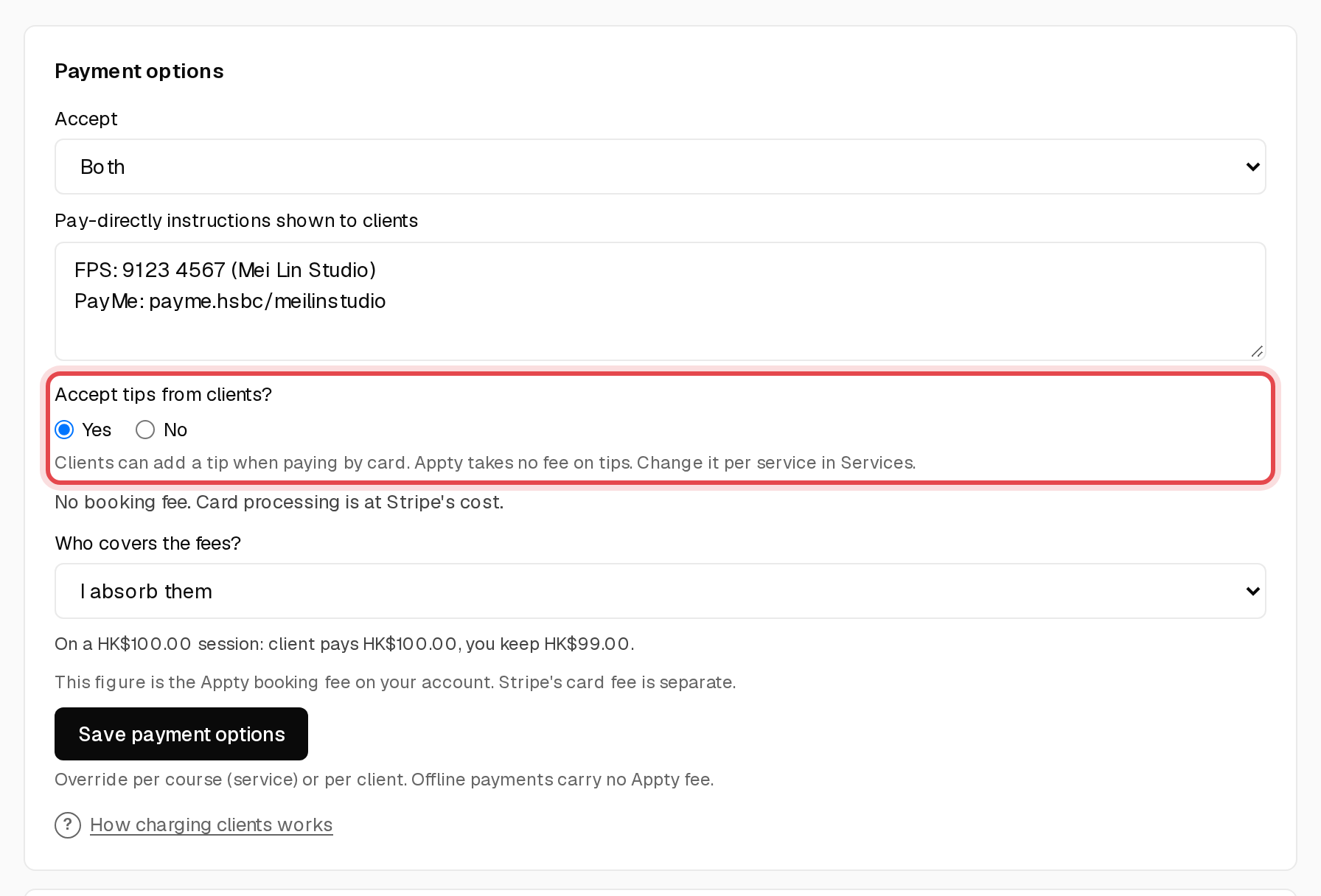
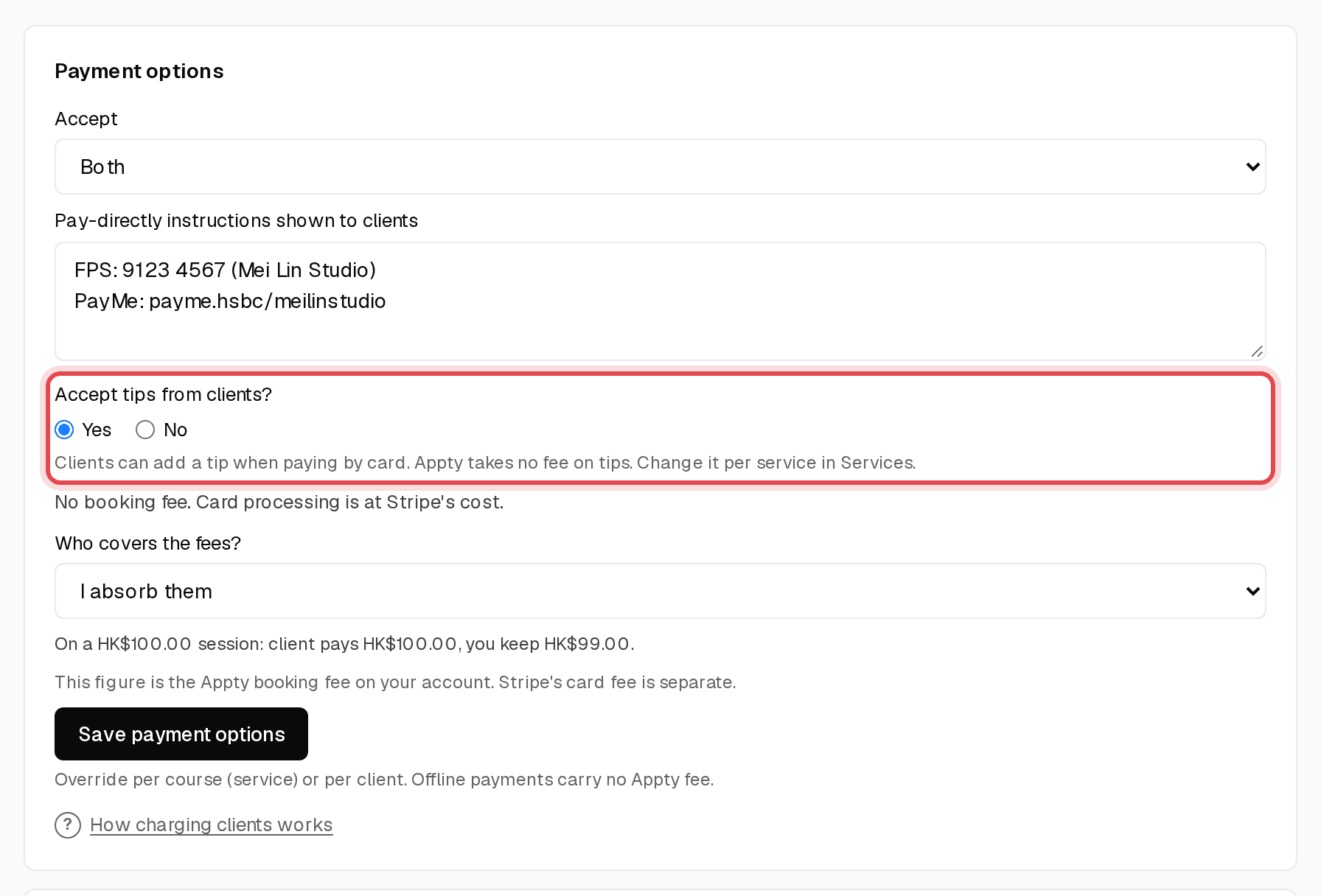
On Overview, under Payment options, set Accept tips from clients? to Yes and click Save payment options.
Step 2: Change it for one service
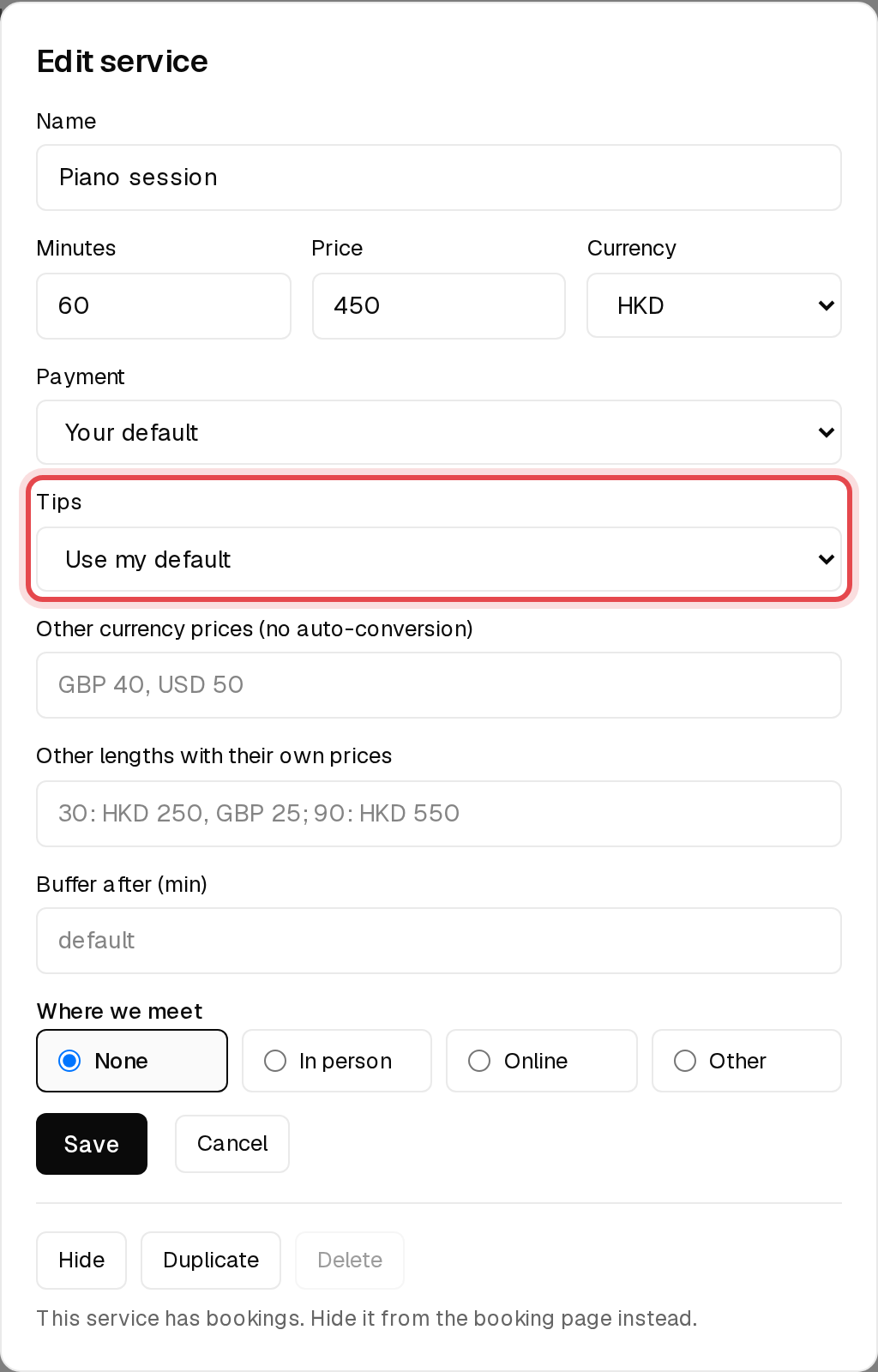
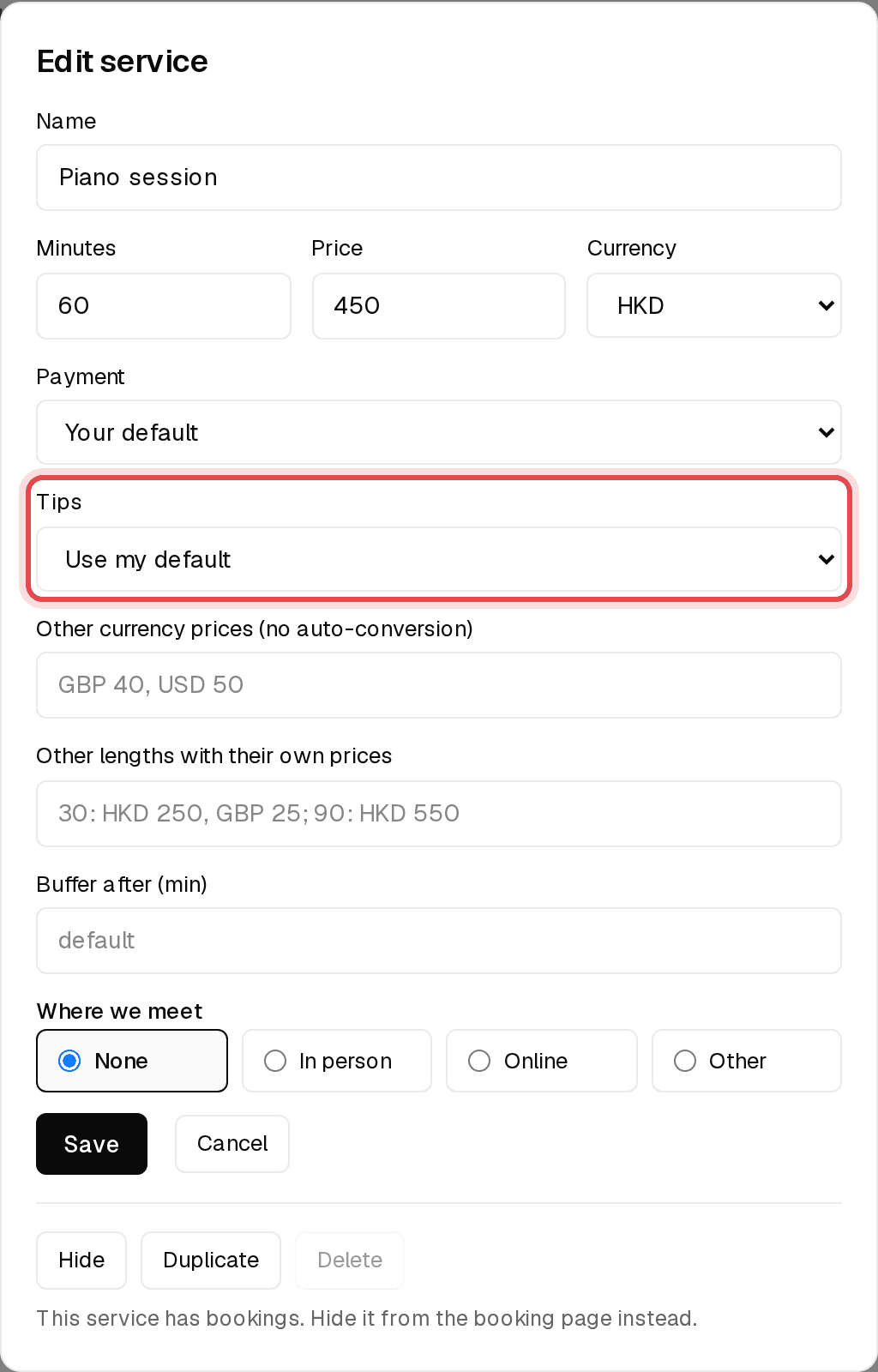
On Services, open a service and set Tips to On, Off or Use my default.
Step 3: What your client sees
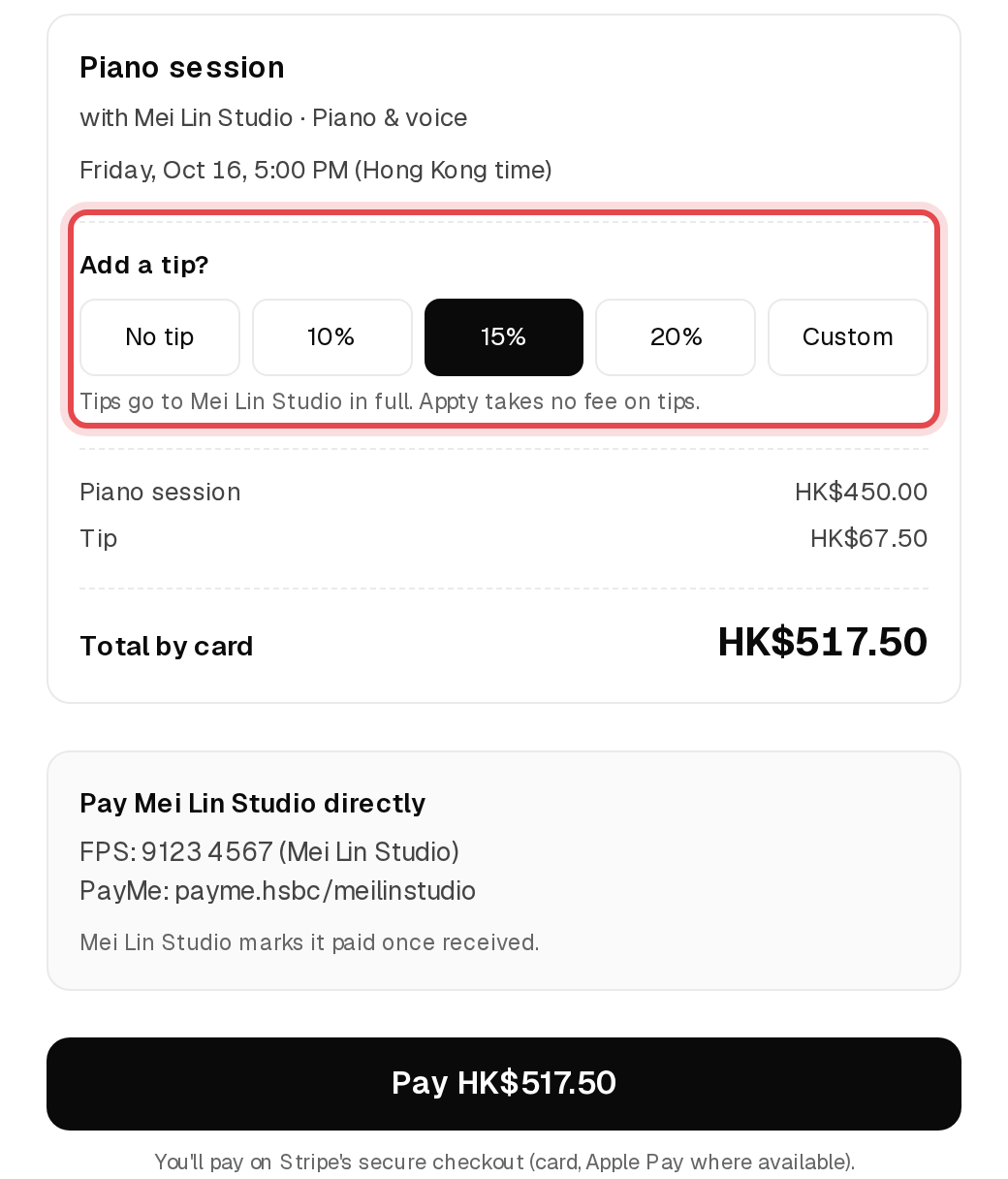
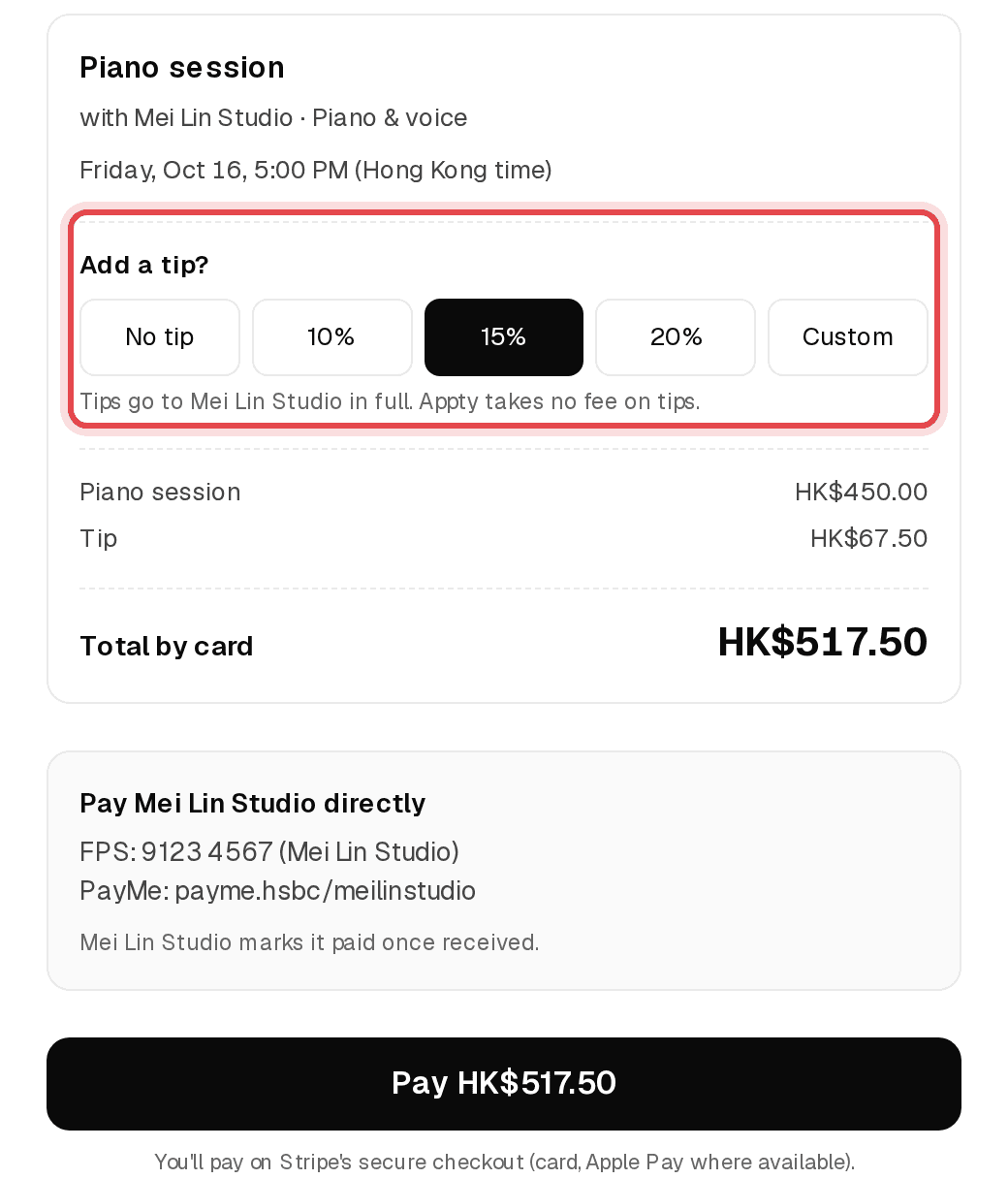
When paying by card, clients can pick No tip, 10%, 15%, 20% or a custom amount.
Tip: Tips are only offered on card payments.
Step 4: See your tips
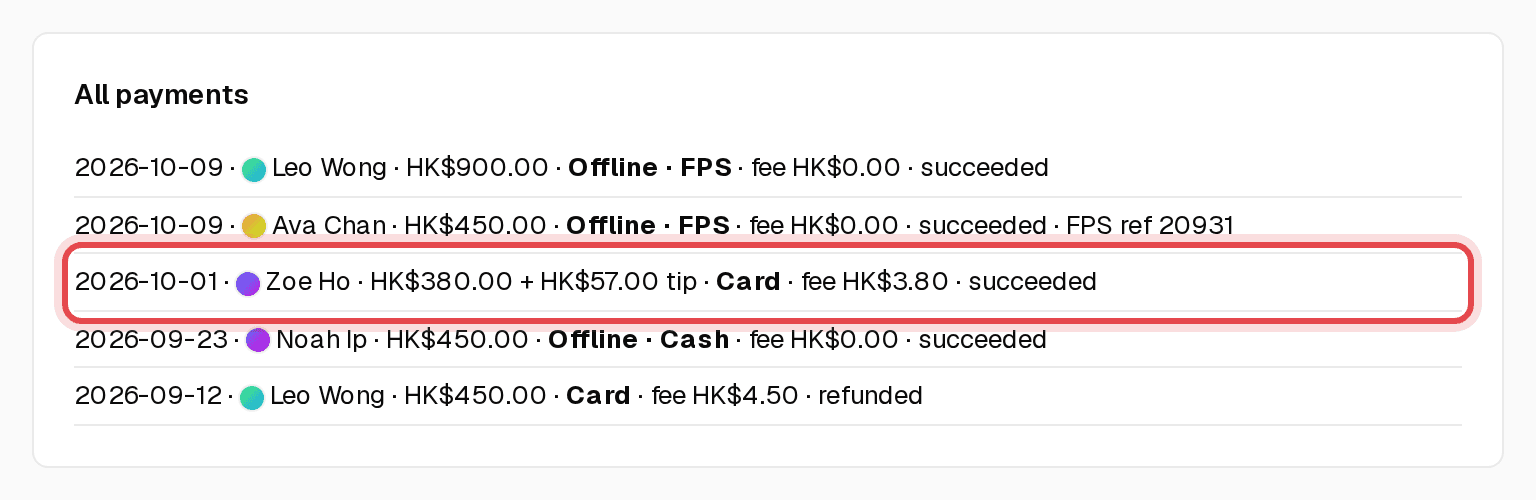
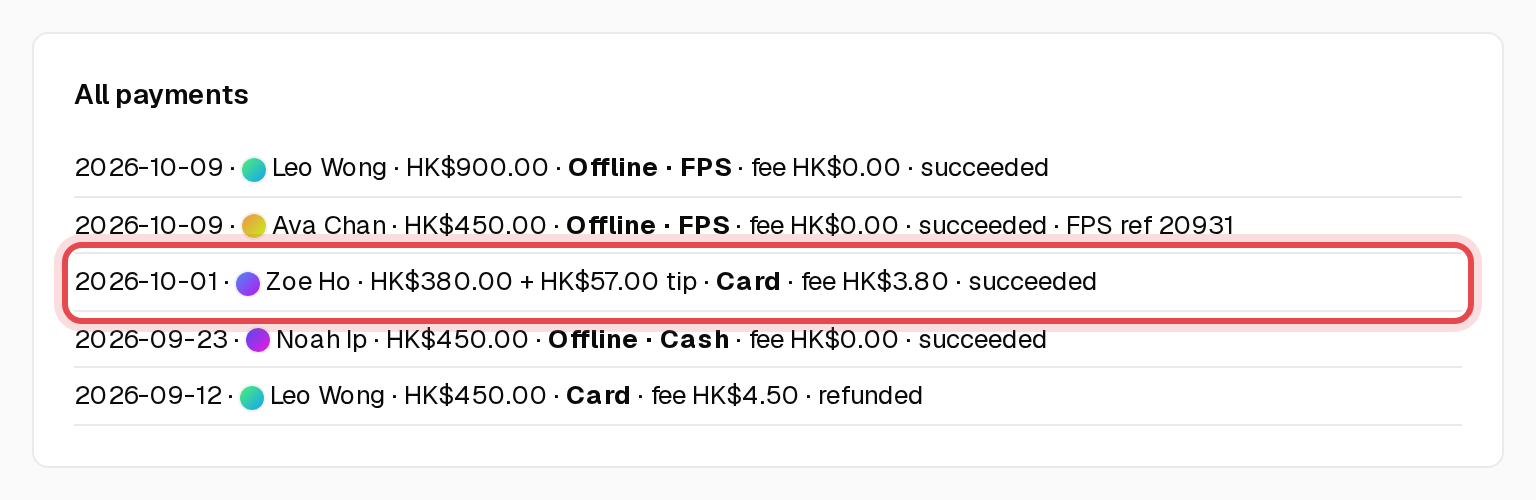
Payments shows each tip next to the payment, and Income has a Tips column for each month.